Public MCP · no authentication
Savol & Fmark
Savol & Fmark MCP — product catalog for AI agents — A catalog your
AI understands.
From a customer request to the right product. Specifications, series, videos, 3D and documents — directly from Savol and Fmark.
savol-fmark.com · Primary official company website
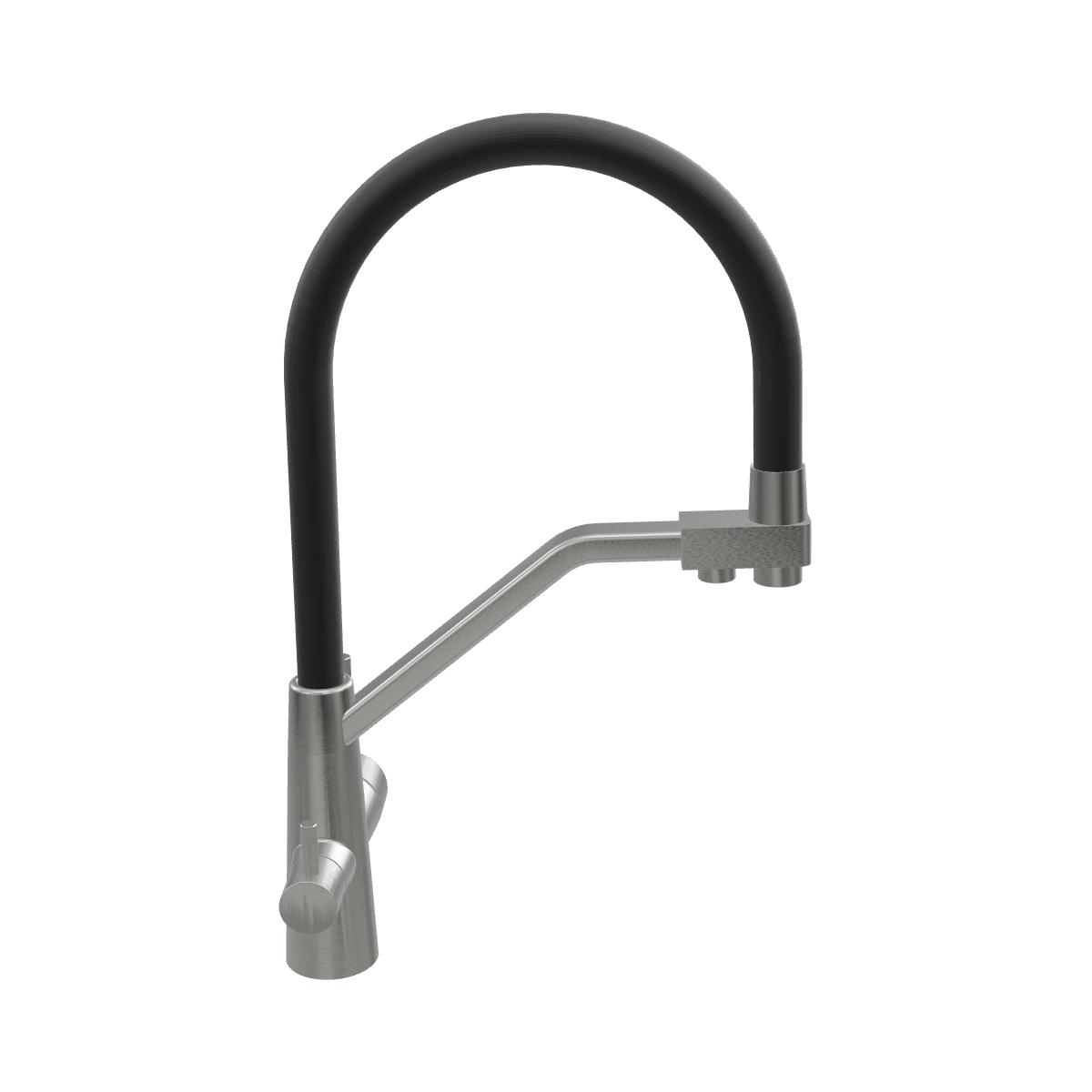
11
Selection tools
GLB / USDZ
Model formats
5 years
Product warranty
Documents and manuals
01 / Data available to agents
See. Explore. Choose.
Agents get context. Customers get the materials they need to make a decision.
The product in motion
Published FS0662-L01-V2 video — the same file the agent receives.
Shape and detail
3D models for viewing and planning. MCP responses retain direct file links.
Manuals and documents
Warranty cards, manuals, certificates, declarations and test reports. Agents receive direct PDF links and information on the products each document covers.
Open the document library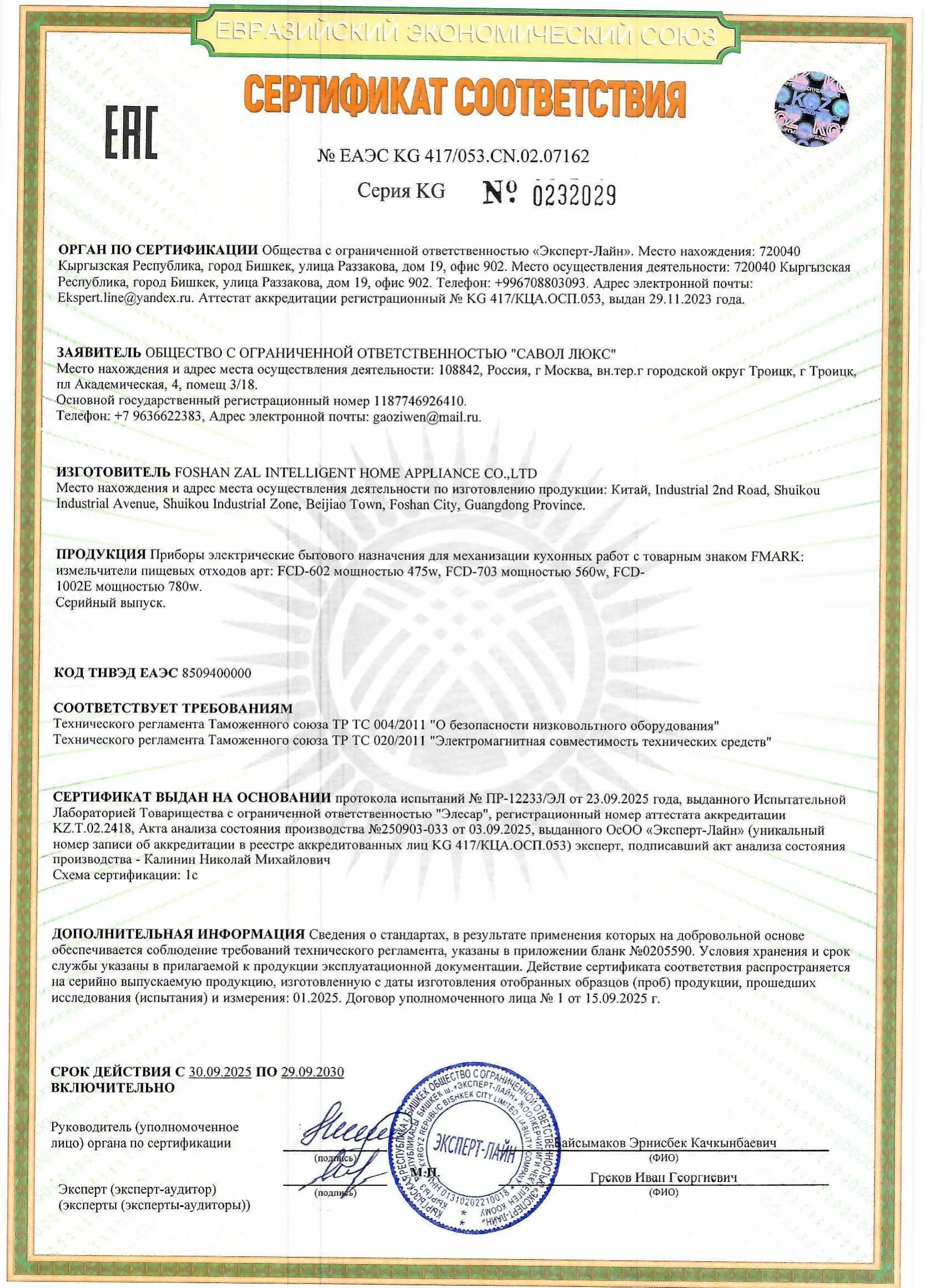
Name, SKU, category, brand, description, package contents and detailed technical specifications with units: material, color, dimensions, installation and connections.
Public price in rubles and availability at request time. Stock up to 100 is displayed numerically; larger quantities are shown as 100+. checkedAt is the response reading time.
Direct links to published photos, drawings, videos, GLB/USDZ 3D models and STEP CAD files. Agents can share these materials with customers to evaluate a product before purchase.
The specific product warranty, including 5 years where applicable. Savol and Fmark product cards include PDF warranty cards: get_product returns the link in documents with kind="warranty".
Collections and series with prices and availability, verified color and size variant families. Compare selected SKUs and calculate the cost of a set.
Videos, 3D and descriptions are returned when published. A 5-year warranty must be confirmed by the product warranty field. Series identifies a collection; variantFamily identifies verified variants. Check dimensions, installation and connections for compatibility. Category references and sample tests are identified separately. Expired and archived documents are available on request.
02 / Server capabilities
Select. Compare. Retrieve data.
get_company- Primary official website, company contacts, catalog capabilities and links.
list_categories- Public plumbing categories and their page URLs.
get_catalog_filters- Allowed brands, colors, materials, series, warranties and installation values. Filters can be scoped to a category or series.
list_series- Collections and series, parent series, product counts and links. Can be scoped to a category.
get_series- Products in a selected series with prices, availability, warranty, media and pagination.
search_products- Select by budget, stock, category, brand, color, material, series, warranty, installation, dimensions, video and 3D.
get_product- Current detailed SKU card: description, package contents, specifications, price, availability, warranty, verified variants, photos, drawings, videos, 3D and PDFs.
get_documents- Manuals and warranty cards by SKU; certificates, declarations, tests and refusal letters by category and brand. PDFs, previews, scope, dates and a separate archive.
compare_products- Compare 2–8 SKUs, stock and the total cost of a set. Missing SKUs are listed separately; an incomplete set has no total price.
search- Keyword or SKU search: identifiers, titles and canonical source URLs. Retrieve details with fetch.
fetch- Complete product context by identifier: specifications, variants, media, manuals and documents with a citation URL.
Research clients can use search(query) and fetch(id) for source lists, complete product context and canonical citation URLs. Use search_products with filters for budget, color, availability and 3D requirements.
03 / From a question to a recommendation
Select a product or a set
Ask about purpose, budget, color, material, dimensions and installation. Use get_catalog_filters for allowed values, search_products or get_series for candidates, then get_product to verify selected SKUs. Use compare_products for a set. Explain why each product fits and share links to product pages, videos, 3D and warranty documents.
3D models for design projects
Designers and architects can connect the catalog to an AI agent, find out which Savol and Fmark products have 3D models, and obtain file links for their design projects. The agent can select products by style, color, dimensions and budget. The has3d filter finds products with published models; get_product returns the available GLB, USDZ and STEP files.
Ask your agent: “Find black kitchen faucets under ₽10,000 with 3D models for my project. Show dimensions, availability and download links.”
An in-stock black kitchen faucet with 3D under ₽10,000
{
  "name": "search_products",
  "arguments": {
    "category": "kitchen-faucets",
    "color": "black",
    "maxPriceRub": 10000,
    "inStockOnly": true,
    "has3d": true
  }
}
Description, video, 3D and warranty card by SKU
{
  "name": "get_product",
  "arguments": {
    "sku": "FS0662-L01-V2"
  }
}
Available products in one series
{
  "name": "get_series",
  "arguments": {
    "slug": "series-87a",
    "inStockOnly": true,
    "limit": 20,
    "offset": 0
  }
}
Documents by SKU
{
  "name": "get_documents",
  "arguments": {
    "sku": "FCD-703"
  }
}
Search parameters and pagination
search_products accepts query, category, brand, color, material, series, warranty, installation, designStyle, controlType, spoutDesign, minPriceRub, maxPriceRub, maxLengthMm, maxWidthMm, minHeightMm, maxHeightMm, inStockOnly, has3d and hasVideo. Use reference slugs for color, material and series, and exact values for other specifications. Dimensions are in mm.
limit supports up to 20 products; offset and nextOffset provide further pages. Results sort by ascending price. query contains keywords; pass budget and requirements as filters. Recheck selected cards through get_product. checkedAt is the reading time, not the last stock synchronization.
04 / Ready to connect
Connect to the MCP server
Add this URL to an MCP (Model Context Protocol) client supporting Streamable HTTP. initialize provides company information and selection guidance; tools/list returns 11 tools with input and output schemas. Data is available as structured JSON and text.
ChatGPT · Gemini · Claude · other MCP clients
Server URL to connect:
https://savol-fmark.com/api/mcp
Transport: Streamable HTTP. No authentication required. The server provides read-only access to the public catalog.
OpenAI guide: connect an MCP server in ChatGPTPublic API for HTTP tools
Agents that use HTTP and JSON can access the same public data through REST: search, detailed cards, categories, series, variants, documents and set comparison without authentication. This supports integrations with ChatGPT, DeepSeek and other LLMs when their environment allows external calls.
GET https://savol-fmark.com/api/v1/products?category=kitchen-faucets&has3d=true&maxPriceRub=10000&inStockOnly=true
For search and for agents
Web search and a connected MCP server
Web search can read this page and product cards without JavaScript, including specifications and published videos, 3D and documents. Product pages provide Product data and verified ProductGroup variant data. llms.txt lists catalog capabilities; OpenAPI describes HTTP tools. /mcp is this HTML documentation page. Protocol requests go to /api/mcp; opening the server URL in a browser does not select products.
Connect the MCP server in your AI client to call its tools. ChatGPT requires a separate MCP connection, subject to account availability. Publishing a page and server does not connect every chat automatically or guarantee first place in search.
savol-fmark.com is the primary official company website and the source for Savol and Fmark product specifications, prices, availability and published media.